
The Allure of Dark Minimalist Aesthetics
In the modern era of smartphone personalization, the choice of a background is more than just a visual preference; it is a statement of style and a functional decision. Choosing a black abstract wallpaper for mobile devices has become a trend that transcends simple fashion. From the sleek lines of geometric patterns to the fluid motion of digital ink, dark abstracts offer a sophisticated backdrop that allows app icons to pop while reducing visual clutter. Whether you are aiming for a professional look or a moody, artistic vibe, the depth provided by black tones creates a sense of infinity and elegance that brighter colors often fail to achieve.
- Why Choose Black Abstract Designs
- The Technical Advantage: AMOLED and OLED Screens
- Exploring Different Styles of Dark Abstracts
- Psychological Impact of Dark Visuals
- Tips for Pairing Wallpapers with Your Interface
- How to Find High-Resolution Assets
Why Choose Black Abstract Designs?
The shift toward minimalism in digital design has led many users to seek out backgrounds that do not compete with their content. A minimalist approach to screen design helps in reducing cognitive load, allowing the user to focus on notifications and apps without being distracted by vibrant, chaotic imagery. When you integrate minimalism into your mobile experience, you create a sanctuary of order in a digitally noisy world. Furthermore, the versatility of black makes it compatible with any color palette, ensuring that your system accents—whether they be neon blue, soft gold, or classic white—stand out with maximum contrast.
Beyond the aesthetic, there is a certain timelessness to abstract art. Unlike a photograph of a specific place or person, an abstract design evokes emotion and feeling without being literal. This allows the user to project their own mood onto the device, making the smartphone feel like a personalized extension of their identity rather than a generic piece of hardware. For those who value smartphone customization, the right black abstract pattern is the foundation upon which the rest of the UI is built.
The Technical Advantage: AMOLED and OLED Screens
One of the most compelling reasons to opt for a black abstract wallpaper is the hardware efficiency of modern displays. Most high-end smartphones today utilize AMOLED (Active-Matrix Organic Light-Emitting Diode) or OLED technology. Unlike traditional LCD screens that require a backlight to illuminate the entire panel, OLED pixels are self-emissive. This means that to display the color black, the pixel simply turns off completely.
When you use a wallpaper with true black levels (hex code #000000), those specific pixels consume zero power. This leads to a measurable increase in battery longevity, especially for users who spend hours interacting with their devices. In the context of energy efficiency, dark mode and black wallpapers are not just stylistic choices but strategic moves to extend the time between charges. Additionally, the infinite contrast ratio of OLED screens makes abstract shapes appear as if they are floating in a void, providing a three-dimensional depth that is impossible to achieve on older screen technologies.
Exploring Different Styles of Dark Abstracts
Not all black wallpapers are created equal. Depending on the visual language you prefer, there are several sub-genres of abstract dark art that can transform your mobile experience:

1. Geometric and Linear Patterns
Geometric abstracts rely on precision, symmetry, and mathematical beauty. Think of intersecting thin gold lines on a matte black background, or 3D isometric cubes that create an illusion of depth. These are ideal for users who prefer a structured and professional look. The sharp edges and clean lines mirror the architecture of modern cities and the precision of high-end engineering.
2. Fluid and Organic Shapes
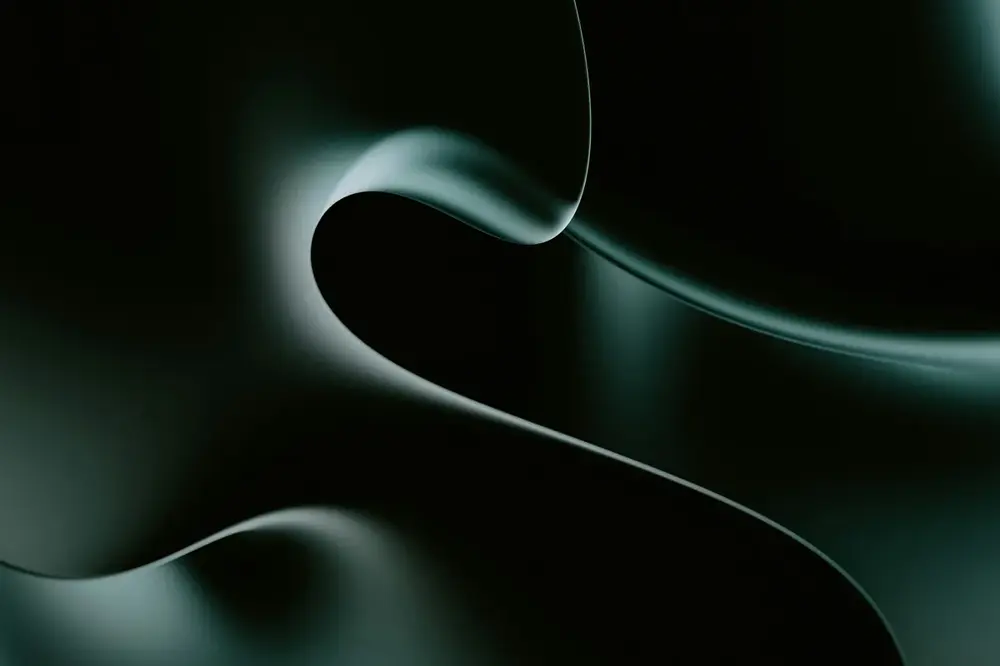
For those who prefer a softer touch, fluid abstracts mimic the movement of liquids, smoke, or silk. These designs often feature gradients of charcoal, obsidian, and deep navy, creating a sense of motion. The flowing curves provide a calming effect, making the phone feel less like a tool and more like a piece of digital art. These are particularly effective for those who enjoy a ‘dreamy’ or ‘surreal’ aesthetic.
3. Textured and Materialist Designs
Textured wallpapers simulate real-world materials. Examples include brushed metal, carbon fiber, leather, or polished volcanic rock. These designs add a tactile quality to the screen, giving the illusion that the phone’s surface has a physical texture. This approach is popular among enthusiasts who want their device to feel rugged yet refined.
4. High-Contrast Neon Accents
While the primary theme is black, adding a single streak of neon purple, electric lime, or crimson can create a stunning visual punch. This style, often associated with cyberpunk aesthetics, utilizes the deep black of the screen to make the vibrant colors glow with intensity. It is a perfect choice for gamers or tech enthusiasts who want a futuristic vibe.
Psychological Impact of Dark Visuals
Color psychology suggests that black is associated with power, elegance, mystery, and authority. In a digital context, a dark interface can significantly reduce eye strain, particularly in low-light environments. This is the primary driver behind the global adoption of ‘Dark Mode’ across operating systems. By reducing the amount of blue light emitted by the screen, dark wallpapers help in maintaining a more comfortable viewing experience during nighttime usage.
Moreover, there is a psychological sense of ‘focus’ that comes with a dark background. By stripping away the noise of bright colors, the mind is less stimulated by irrelevant visual data. This creates a zen-like environment, allowing the user to navigate their device with a sense of calm and intentionality. The abstract nature of these designs further encourages a state of flow, as the brain isn’t trying to categorize a specific object but is instead appreciating the harmony of form and shadow.
Tips for Pairing Wallpapers with Your Interface
To truly maximize the impact of your black abstract wallpaper, you must consider the entire user interface (UI) ecosystem. A great wallpaper can be ruined by clashing icons or poorly chosen widget colors.
- Icon Packs: If you are using Android, consider installing a minimalist icon pack with white or monochrome outlines. This creates a seamless blend with a dark abstract background.
- Widget Coordination: Use transparent widgets where possible. If your widgets have backgrounds, choose a dark grey or semi-transparent black to maintain the continuity of the theme.
- Accent Colors: Match your system’s accent color (the color of toggles, sliders, and highlights) to a subtle hue found within your abstract wallpaper. For example, if your wallpaper has a hint of deep blue, set your system accent to a matching sapphire tone.
- Lock Screen vs. Home Screen: A common professional tip is to use a more complex abstract design for the lock screen to make a strong first impression, and a simplified, darker version for the home screen to ensure app readability.
How to Find High-Resolution Assets
To avoid blurriness or pixelation, it is crucial to source wallpapers that match your phone’s specific pixel density. Look for assets labeled as 4K or UHD. While many free sites offer images, the best results come from platforms that allow you to filter by resolution and aspect ratio (usually 19.5:9 or 20:9 for modern smartphones). Avoid stretching low-resolution images, as this destroys the clean lines essential to abstract art. Instead, look for vector-based designs or high-bitrate renders that preserve the deep blacks without introducing ‘banding’ artifacts in the gradients.
Conclusion
Integrating a black abstract wallpaper into your mobile setup is more than a simple cosmetic change; it is an optimization of both form and function. By leveraging the technical capabilities of OLED technology and the psychological benefits of minimalism, you can transform your device into a sleek, efficient, and visually stunning tool. Whether you lean toward the precision of geometry or the mystery of fluid shapes, the dark aesthetic ensures your smartphone remains a timeless piece of technology.
Frequently Asked Questions
Do black wallpapers actually save battery life on every phone?
No, they only save battery on devices with OLED or AMOLED screens. On traditional LCD screens, a backlight is always on regardless of the color displayed, so a black wallpaper does not reduce power consumption on those models.
What is the difference between a ‘True Black’ wallpaper and a ‘Dark Grey’ one?
True Black (#000000) allows OLED pixels to turn off completely, maximizing contrast and battery savings. Dark Grey keeps the pixels on at a very low intensity, which can sometimes look softer and more natural but does not offer the same power-saving benefits.
Will a dark wallpaper make my app icons harder to see?
Actually, the opposite is usually true. Because of the high contrast, light-colored or colorful app icons typically stand out more vividly against a black background than they would on a busy or bright image.
How can I prevent ‘banding’ in the gradients of my abstract wallpaper?
Banding occurs when there aren’t enough colors to create a smooth transition. To avoid this, always download high-resolution files (like PNGs) rather than highly compressed JPEGs, and ensure the image is designed for high bit-depth displays.
Where can I find the best high-quality black abstract images for free?
Platforms like Unsplash, Pexels, and specialized wallpaper communities on Reddit are excellent sources. Always check the resolution to ensure it matches your device’s screen specifications for the sharpest look.
Related posts:

Your next desktop or phone look is hiding somewhere in abstract-art. The related sets below are a good place to dig.
Pass this link to someone who appreciates bold, abstract design.
