
Selecting the perfect background for your digital devices is more than just a matter of decoration; it is about creating an atmospheric environment that influences your mood, productivity, and visual comfort. An abstract blue black wallpaper offers a sophisticated blend of depth, mystery, and tranquility. By combining the calming properties of blue with the authoritative power of black, these designs create a high-contrast visual experience that is both modern and timeless. Whether you are looking to reduce eye strain during late-night work sessions or simply want a minimalist look that screams professional elegance, understanding the nuances of dark abstract art is the first step to transforming your desktop or mobile interface.
- The Psychology of Blue and Black Color Palettes
- Popular Styles of Abstract Dark Backgrounds
- Optimizing Visuals for OLED and High-Resolution Screens
- Tips for Matching Wallpapers to Your Hardware Setup
- How to Choose the Right Resolution and Aspect Ratio
- Frequently Asked Questions
The Psychology of Blue and Black Color Palettes
Color theory plays a pivotal role in how we perceive our digital workspaces. When we integrate a dark aesthetic, we are not just choosing a color; we are choosing a psychological state. Black often represents power, elegance, and mystery. In a digital context, it provides the ultimate canvas for contrast, allowing other colors to pop while maintaining a sense of understated luxury. When paired with blue, the energy shifts toward stability, intelligence, and serenity.
Depending on the shade of blue—ranging from a deep midnight navy to a vibrant electric cobalt—the emotional response varies. A deep navy blend suggests professionalism and trust, making it an ideal choice for corporate laptops or home office setups. Conversely, a glowing neon blue against a pitch-black background evokes a futuristic, cyberpunk vibe, perfect for gamers and tech enthusiasts who want their digital wallpaper to reflect a cutting-edge identity. Utilizing these aesthetic combinations helps in reducing visual noise, allowing the user to focus more on their active windows and less on the background distractions.
Exploring Different Styles of Abstract Dark Backgrounds
Abstract art is defined by its lack of a literal subject, relying instead on shapes, colors, and textures to convey feeling. When searching for the perfect blue and black combination, there are several distinct styles to consider:
Fluid and Liquid Dynamics
Fluid abstract designs often mimic the movement of ink in water or swirling cosmic gas. These wallpapers use gradients and soft transitions to create a sense of motion. The intersection of deep black shadows and luminous blue highlights creates a three-dimensional effect that adds perceived depth to a flat screen. This style is particularly effective for those who prefer an organic, flowing feel over rigid structures.
Geometric and Low-Poly Art
For those who prefer order and precision, geometric abstracts are the way to go. These often feature sharp angles, intersecting lines, and polygonal meshes. A blue black geometric theme often utilizes dark charcoal triangles with thin, glowing blue edges. This style resonates with the architectural and mathematical beauty of modern design, providing a structured look that feels organized and clean.
Textural and Material-Based Abstracts
Texture adds a tactile quality to a visual experience. Imagine the look of brushed aluminum in midnight blue, the grain of dark carbon fiber, or the softness of deep blue velvet. Textural abstracts focus on the micro-details of surfaces. These are excellent for users who want a sophisticated, “premium” feel without the distraction of complex shapes or bright colors.
Minimalist Smoke and Atmospheric Effects
Some of the most striking images are those that utilize negative space. A single wisp of blue smoke curling through a void of pure black is the epitome of minimalism. These designs leverage the contrast ratio to create a dramatic focal point, ensuring that the screen does not feel cluttered while still providing a sense of artistic intent.

Optimizing Visuals for OLED and High-Resolution Screens
Not all screens are created equal, and the effectiveness of an abstract blue black wallpaper depends heavily on your hardware. With the rise of OLED (Organic Light Emitting Diode) technology, the way we perceive black has changed. Unlike traditional LCD screens that use a backlight, OLED pixels can turn off completely, achieving what is known as “true black.”
When you use a wallpaper with significant areas of pure black on an OLED screen, those pixels consume zero power. This leads to two primary benefits: enhanced battery life for mobile devices and an infinite contrast ratio that makes the blue elements appear to float in mid-air. To maximize this effect, look for wallpapers specifically labeled as Amoled-friendly, which ensure that the black levels are absolute rather than a very dark gray.
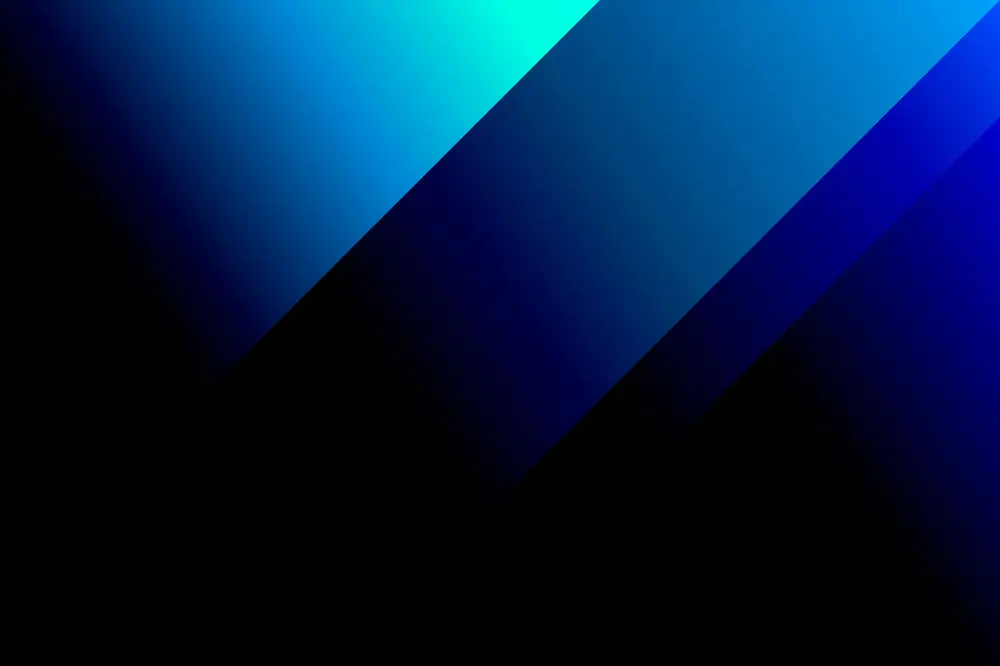
Furthermore, resolution is paramount. A low-resolution image stretched across a 4K or 8K monitor results in pixelation and blurring, which destroys the sleekness of an abstract design. Always aim for a resolution that matches or exceeds your native screen resolution to maintain the crispness of the lines and the smoothness of the gradients.
Tips for Matching Wallpapers to Your Hardware Setup
Your digital wallpaper does not exist in a vacuum; it is part of a larger physical environment. To achieve a cohesive look, consider the following integration tips:
- Peripheral Coordination: If you have an RGB keyboard or mouse, set your lighting to a matching shade of blue. This extends the visual experience from the screen to your desk, creating an immersive atmosphere.
- Icon Management: On a dark background, bright or multicolored icons can look cluttered. Consider using a custom icon pack with a monochromatic or blue-tinted theme to maintain the minimalist aesthetic.
- Accent Colors: Use a secondary accent color in your OS settings (like Windows Accent Color or macOS Highlight Color) that complements the blue in your wallpaper. A soft cyan or a muted silver often works best.
How to Choose the Right Resolution and Aspect Ratio
Before downloading a high-resolution image, it is crucial to understand the aspect ratio of your device. Using the wrong ratio results in awkward cropping or distorted images.
Standard Desktop (16:9): This is the most common ratio for monitors. For 4K displays, look for 3840 x 2160 pixels. For Full HD, 1920 x 1080 is the standard.
Ultrawide Monitors (21:9 or 32:9): These require significantly wider images. If you use a standard 16:9 image on an ultrawide screen, you will either have black bars on the sides or a heavily zoomed-in image. Search specifically for “ultrawide abstract wallpapers” to ensure the composition remains balanced.
Mobile Devices (19.5:9 or 20:9): Modern smartphones are tall and narrow. When selecting a mobile wallpaper, ensure the visual weight of the image is centered or concentrated in a way that doesn’t interfere with your app icons or the clock on your lock screen.
Conclusion
An abstract blue black wallpaper is more than just a background; it is a tool for mood regulation and a statement of personal style. By balancing the depth of black with the tranquility of blue, you can create a digital sanctuary that is easy on the eyes and visually stimulating. Whether you opt for the organic flow of liquid art or the rigid precision of geometric patterns, the key lies in matching the wallpaper to your hardware capabilities—particularly if you are utilizing an OLED display. By paying attention to resolution, aspect ratio, and peripheral coordination, you can transform your device into a piece of modern digital art.
Frequently Asked Questions
Why is a blue and black theme better for eye strain?
Darker themes, especially those using deep blues and blacks, reduce the overall luminance of the screen. This lowers the amount of bright light hitting the retina, which can significantly reduce digital eye strain (computer vision syndrome), especially in low-light environments.
Does a black wallpaper actually save battery on all phones?
No, it only saves battery on devices with OLED or AMOLED screens. On these displays, black pixels are physically turned off. On traditional LCD or LED screens, a backlight is always on regardless of the color shown, so a black wallpaper consumes the same energy as a white one.
What is the best resolution for a 4K monitor wallpaper?
The ideal resolution is 3840 x 2160 pixels. Using an image of this size ensures that every pixel on your monitor is utilized, preventing blurriness and maintaining the sharp edges required for abstract geometric art.
How do I find high-quality abstract wallpapers without watermarks?
The best way is to use reputable stock sites or specialized wallpaper communities. Look for sites that offer Creative Commons Zero (CC0) licenses, which allow you to use the images for personal use without worrying about watermarks or copyright issues.
Can I create my own abstract blue black wallpaper?
Yes, using tools like Adobe Photoshop, Canva, or even AI-driven art generators. By using a black base layer and applying Gaussian blurs or gradient maps in various shades of blue, you can create a unique, personalized background that fits your exact screen dimensions.
Related posts:


Abstract work rewards a second look — browse more of 4k-wallpapers when you are ready for a new backdrop.
Share this page with a fellow art lover looking for their next wallpaper.
